
 Article
October 27, 2026
7 min read
 FirstConnectt
Enterprise communication insights
FirstConnectt
Enterprise communication insights
Article · FirstConnectt Insights
Imagine two businesses.
The first is a local bakery that receives 20 customer messages a day. The owner replies personally, shares product photos, and confirms orders directly from a smartphone.
The second is an eCommerce brand handling thousands of customer conversations every week across sales, support, delivery updates, and marketing campaigns. One phone simply isn’t enough.
Both businesses use WhatsApp. Yet they need completely different solutions.
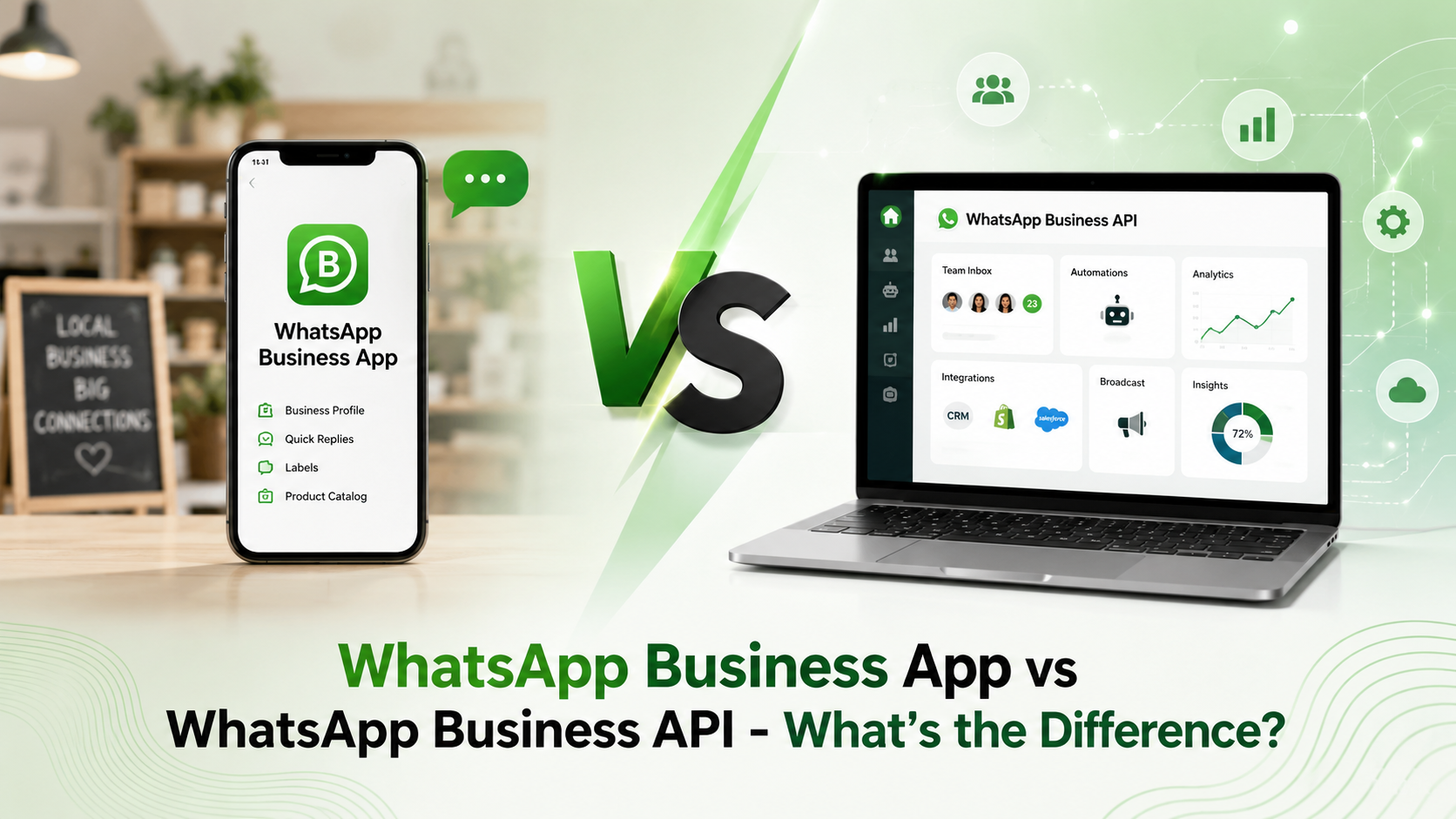
That’s where the confusion begins. Many business owners believe the WhatsApp Business App and WhatsApp Business API are just different versions of the same product. They’re not.
Choosing the wrong one can limit your customer experience, slow your team down, and even impact sales. This guide explains exactly how they differ, who each solution is built for, and how to choose the right one for your business.
Before comparing both solutions, it’s important to understand that Meta offers two different products for businesses.
Although both help businesses connect with customers, they solve very different problems.
The WhatsApp Business App is an application available for Android and iPhone for free. It allows professionals to create a business profile and communicate with customers using a single phone.
It includes useful features such as:
For businesses receiving a manageable number of daily conversations, these features are often sufficient.
A neighborhood florist receives around 40 messages daily.
Customers ask:
One employee handles every conversation from a single smartphone.
For this business, the WhatsApp Business App is more than enough.
The WhatsApp Business API is an enterprise communication platform designed for businesses that need to communicate with customers at scale.
Unlike the mobile app, the API is not a standalone application.
Instead, it connects with customer engagement platforms, CRM software, helpdesk solutions, chatbots, and business systems.
It enables companies to automate conversations, manage multiple agents, integrate customer data, and send approved business messages securely.
Businesses use WhatsApp Business API for:
An online fashion retailer receives 3,000 customer inquiries every day.
Customers ask about:
Instead of one employee replying manually, the API:
The result is faster support and a much better customer experience.
| Feature | WhatsApp Business App | WhatsApp Business API |
| Best for | Small businesses | Medium and large businesses |
| Cost | Free | Platform and conversation charges apply |
| Multiple Users | No | Yes |
| Automation | Basic | Advanced |
| Chatbots | No | Yes |
| CRM Integration | No | Yes |
| Marketing Campaigns | Limited | Advanced |
| Analytics | Basic | Detailed |
| Customer Data Integration | No | Yes |
| Scalability | Limited | High |
| Broadcast Capability | Limited | Enterprise scale (policy compliant) |
| API Access | No | Yes |
The biggest difference is scalability.
The Business App works well when a single person manages conversations.
As customer inquiries grow, managing everything from one phone quickly becomes overwhelming.
The API is designed for thousands, or even millions, of conversations.
The Business App is tied primarily to one business account and offers limited device support.
The API allows multiple customer support agents to work simultaneously from one shared WhatsApp number.
This dramatically improves response times.
The Business App offers:
The API unlocks advanced automation, including:
Customer conversations become significantly more valuable when connected to your business systems.
With the API, WhatsApp integrates with:
This gives agents complete customer context during every interaction.
Customers increasingly expect businesses to respond instantly.
The API helps businesses deliver:
Better communication often leads to higher customer satisfaction and stronger retention.
The Business App provides only basic messaging insights.
The API offers deeper reporting, including:
These insights help businesses improve customer communication over time.
The Business App is the right choice if:
For many local businesses, it remains an excellent starting point.
Consider moving to the API if:
These are clear indicators that your business has outgrown the mobile app.
Businesses that implement the API effectively often experience significant operational improvements.
Some of the biggest advantages include:
While powerful, the API isn’t a perfect fit for every business.
Potential challenges include:
Most growing businesses find these trade-offs worthwhile once customer volume increases.
Many companies struggle with WhatsApp simply because they choose the wrong solution.
Avoid these common mistakes:
Businesses often continue using the Business App long after customer demand has outgrown it.
Customers still value human conversations. Automation should support your team, not replace meaningful interactions.
Without CRM integration, valuable customer information remains scattered across different systems.
Overusing marketing messages can reduce engagement and damage customer trust. Focus on relevance, timing, and value.
Regardless of the solution you choose, these practices consistently improve results:
Instead of asking:
“Which WhatsApp solution is better?”
Ask:
“Which solution matches where my business is today and where it’s heading?”
The Business App is perfect for building personal customer relationships in the early stages.
The API becomes invaluable when communication evolves into a core business function that demands speed, scale, automation, and collaboration.
Choosing based on future growth, rather than current limitations, often prevents expensive migrations later.
The choice between the WhatsApp Business App and WhatsApp Business API isn’t about selecting the most advanced tool. It’s about selecting the one that fits your business today while supporting where you want to go tomorrow.
If your conversations are personal, manageable, and handled by a small team, the Business App offers a simple, cost-effective solution.
If your business depends on delivering fast, personalized communication at scale, the WhatsApp Business API provides the flexibility, automation, and integrations needed to create exceptional customer experiences.
As customer expectations continue to rise, the businesses that communicate quickly, intelligently, and consistently will be the ones that stand out.
No. While Meta does not charge for the API itself, businesses typically pay conversation-based fees and may also pay their chosen solution provider for platform access.
Yes. Small businesses can adopt the API if they need automation, CRM integration, or multi-agent support. However, many smaller businesses are well served by the free Business App until their communication needs grow.
Support for the Business App is limited compared to the API. Businesses that require multiple agents working simultaneously from the same number should consider the API.
Yes. One of its major strengths is integration with chatbots, conversational workflows, and automation platforms.
Yes. It supports integration with popular CRM, helpdesk, ERP, and eCommerce platforms, allowing businesses to centralize customer interactions.
For businesses handling large volumes of inquiries, the API is generally the better choice because it enables multiple agents, automation, reporting, and integrations. For smaller businesses with lighter workloads, the Business App may be sufficient.
Share this article
Article
 Article
 Article
Ready to put these ideas to work? Talk to our team about your communication stack.
Get Started →