
 Article
October 14, 2026
6 min read
 FirstConnectt
Enterprise communication insights
FirstConnectt
Enterprise communication insights
Article · FirstConnectt Insights
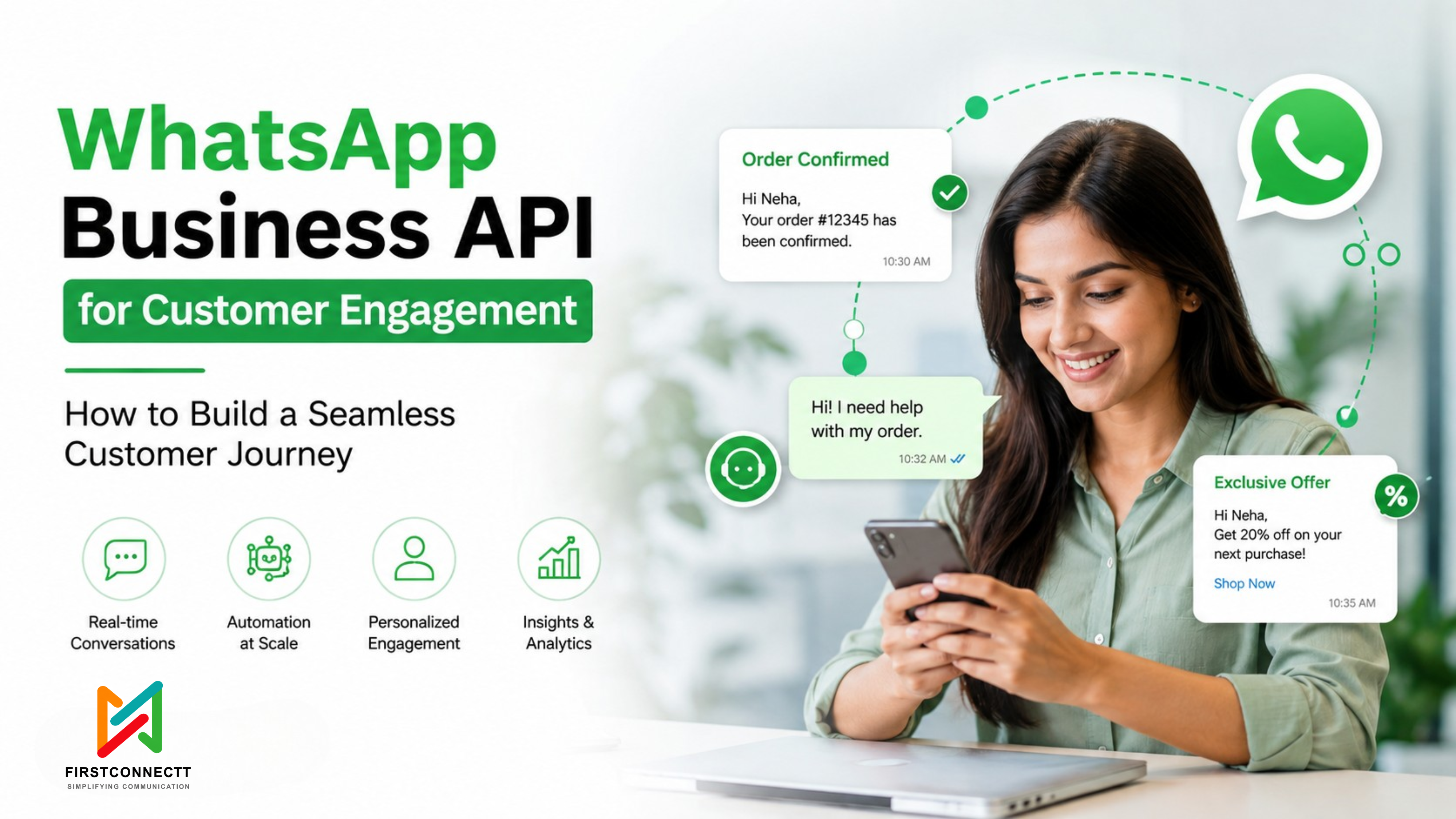
Imagine a customer discovering your brand on social media, asking a question through WhatsApp, receiving instant answers, placing an order, getting real-time delivery updates, and even returning weeks later because your business remembered them.
That’s not an ideal scenario anymore. It’s what customers increasingly expect.
The WhatsApp Business API has evolved beyond being just another messaging platform. Today, it’s a powerful customer engagement channel that helps businesses create personalized, automated, and seamless customer communication from the first interaction to long-term loyalty.
The challenge isn’t getting customers onto WhatsApp. It’s designing conversations that naturally move them from curiosity to conversion and beyond.
This guide walks you through exactly how to build a customer journey using WhatsApp Business API, complete with practical examples, best practices, and common pitfalls to avoid.
A customer journey is every interaction a customer has with your business throughout their lifecycle. Instead of isolated conversations, every message becomes part of a connected experience. A typical WhatsApp customer journey includes:
When these stages work together, customers feel like they’re talking to one intelligent brand rather than multiple disconnected departments.
Customers already spend hours every day on WhatsApp. Instead of asking them to download another app or visit multiple web pages, businesses can engage customers where they already communicate. Benefits include:
The result is fewer drop-offs and more meaningful customer relationships.
Building a seamless WhatsApp journey requires more than being available on the platform. FirstConnectt helps businesses connect messaging capabilities with customer journeys, making conversations easier to manage as interactions grow.
Everything begins when someone discovers your business. They may arrive through:
Instead of redirecting customers through multiple pages, businesses can send them directly into WhatsApp conversations.
Example
A customer clicks: “Chat with Our Product Expert”
Within seconds:
Hi Sarah
Welcome! What are you looking for today?
That immediate interaction dramatically reduces friction.
Not every visitor has the same intent. Some are browsing. Some are ready to buy. Others simply have questions. The WhatsApp Business API allows automated qualification using interactive buttons and lists. Example:
“What are you interested in?”
Based on the response, customers automatically enter different workflows. This creates a highly personalized journey from the very beginning.
Every customer has a different intent, so communication should adapt accordingly. FirstConnectt helps businesses create structured messaging journeys that connect customer responses with the right conversations and next steps.
Many purchases don’t happen because customers still have unanswered questions. WhatsApp makes education conversational rather than overwhelming. Businesses can send:
Instead of making customers search for information, businesses deliver exactly what they need.
Once customers are confident, removing friction becomes critical. Using WhatsApp Business API, businesses can send:
Example: “Your selected package is ready. Complete your purchase below.”
One click. One payment. Minimal effort.
Silence after purchase creates anxiety. Customers appreciate proactive communication. Automated notifications can include:
Rather than asking customers to check multiple portals, updates arrive directly in WhatsApp.
Support should feel like a continuation of the buying experience. Instead of restarting conversations every time, WhatsApp Business API allows businesses to maintain context. Customers can:
Smart automation handles common questions while seamlessly transferring complex issues to human representatives.
The customer journey doesn’t end after delivery. In fact, that’s when long-term relationships begin. Businesses can automate:
These touchpoints increase customer lifetime value while keeping communication relevant.
Imagine an online electronics store.
The customer clicks an Instagram ad.
↓
WhatsApp opens automatically.
↓
Bot welcomes customers.
↓
The customer selects “Looking for a Laptop.”
↓
Business shares product catalog.
↓
Customer requests pricing.
↓
The sales representative joins the conversation.
↓
Payment link sent.
↓
Purchase completed.
↓
Order confirmation delivered.
↓
Shipping updates automated.
↓
Delivery confirmation received.
↓
Feedback requested after three days.
↓
Customers receive personalized accessory recommendations two weeks later.
Every interaction feels connected because it is.
Automate repetitive conversations while allowing human intervention when needed. Examples include:
Customers expect businesses to remember them. Use information like:
Even small personalization significantly improves engagement.
The best customer journeys connect WhatsApp with existing business systems. CRM integration allows businesses to:
Without integration, customer experiences become fragmented.
Disconnected systems can make customer conversations feel fragmented. FirstConnectt helps businesses build connected communication experiences. This makes it easier to bring messaging into broader customer journeys alongside existing business systems.
You can’t improve what you don’t measure. Track metrics like:
These insights help optimize every stage of the journey.
Long promotional messages rarely perform well. Keep conversations natural.
Customers dislike repeating information. Maintain conversation history whenever possible.
Bots are excellent assistants. They shouldn’t replace human empathy. Allow customers to reach real agents when necessary.
Sending frequent promotional messages without value leads to higher opt-outs. Focus on relevance instead of frequency.
Start with customer needs, not technology.
Every conversation should guide customers toward a clear next step.
Speed often influences buying decisions.
Images, videos, catalogs, and documents improve understanding without overwhelming customers.
Relevant communication consistently outperforms generic broadcasts.
Only message customers who have opted in, and comply with applicable WhatsApp messaging policies and privacy regulations.
Building a customer journey isn’t only about automation. Businesses often face challenges like:
Planning these areas early reduces implementation issues later.
Scaling WhatsApp communication can bring challenges around integration, support, templates, and automation. FirstConnectt helps businesses simplify the communication layer, so growing customer conversations don’t have to become difficult to manage.
The most effective customer journeys feel helpful rather than automated.
Yes. It can support every stage, including lead generation, qualification, sales, onboarding, customer support, retention, and re-engagement when integrated with CRM systems and business applications.
Absolutely. Small businesses can begin with essential automation and expand as customer volume grows.
With the integration of customer data such as purchase history, preferences, previous interactions, and segmentation into WhatsApp workflows.
Routine interactions can be automated, but businesses should provide access to human agents for complex or sensitive conversations.
E-commerce, healthcare, education, banking, insurance, logistics, hospitality, travel, and professional services all benefit from structured WhatsApp customer journeys.
A connected customer journey needs dependable communication behind every interaction. FirstConnectt helps businesses bring messaging into these journeys with scalable communication solutions designed to support meaningful customer conversations from discovery to retention.
A successful customer journey isn’t built through isolated campaigns. It’s created through connected conversations that make every interaction feel timely, relevant, and effortless.
The WhatsApp Business API enables businesses to guide customers from their first inquiry to repeat purchases using automation, personalization, and real-time communication. When thoughtfully designed, each message becomes another step toward trust, satisfaction, and long-term loyalty.
The brands that stand out won’t necessarily be the ones sending the most messages. They’ll be the ones delivering the right message at exactly the right moment.
Share this article
Article
 Article
 Article
Ready to put these ideas to work? Talk to our team about your communication stack.
Get Started →